 online manual
LUMIN P-Series
LUMIN P1 Mini Controls
LUMIN P1 Mini differs from the majority of other LUMIN players by including front panel controls.
Their funtions are described below:
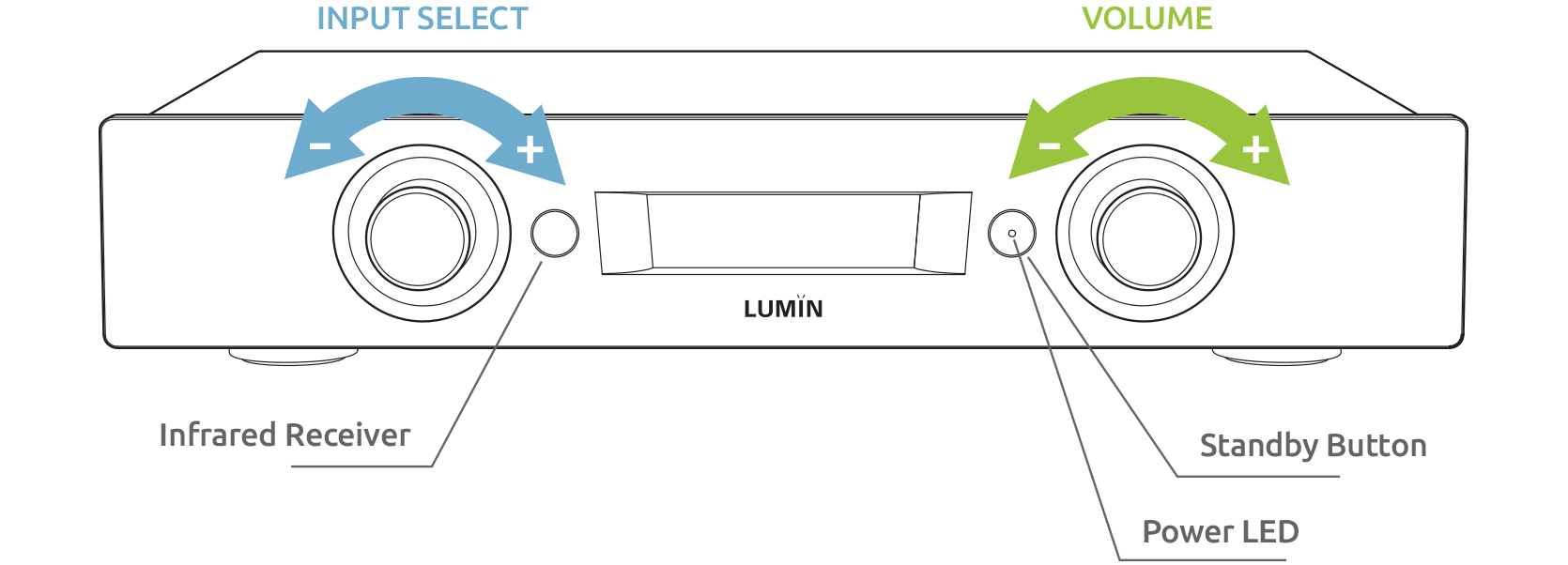
| Left knob | Input selection. Each segment movement equals one input change. |
|---|---|
| Right knob | Volume Up/Down. Each segment movement equals one whole number change. |
| Left lens | Infrared receiver. Requires 'line-of-sight' to remote control. |
| Right button | Standby. Toggles between Power On and Standby. |
| Right LED | Power indicator LED. Blue = Power On. Red = Standby |
Note: Neither the volume control nor the input selection control have fixed positions. They adjust up/down from the current setting (which may have been selected via the App or Remote Control).