 online manual
How to use the LUMIN App
Now Playing Mini
At the top of the Browse and Playlist screens is a Mini Now Playing area for quick access to the currently playing track info and basic playback control.
Tablet layout
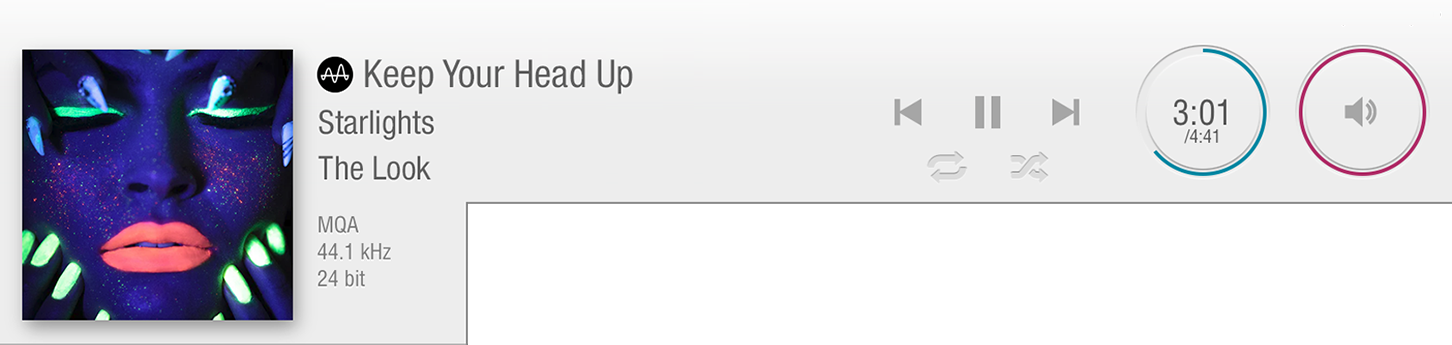
Phone layout

 |
Now Playing song info
Figures in brackets show upsampled rate, e.g. 44.1 kHz (2.8 MHz), 16 bit (1 bit) shows that the original sample rate was CD quality, and LUMIN is upsampling to DSD. Tap the Artwork to enter Fullscreen Mode. Tap again to exit. |
|---|---|
 |
Control
Note: To Stop, you can tap Pause and then tap Skip Back. This resets the Timeline of the song to zero. |
 |
Timeline Ring
Tap the Timeline Ring to reveal controls to:
Tap and hold the Forward/Rewind buttons to seek. |
 |
Volume Ring
Tap the Volume Ring to reveal controls to:
Notes:
|
 Skip Back to previous song, or replay current song in Playlist. Note: When the current song is within the first 5 seconds, this control will skip back to the previous song; otherwise it will replay the current song.
 Play/Pause: Toggles between play and pause.
 Skip Forward: Skips to the next song in the Playlist.
 Shuffle: The next song is selected at random from the whole Playlist.
 Repeat: The whole Playlist will loop.
 Restart
  Fast Forward
  Rewind
  Mute
Mute  Increase volume
  Decrease Volume